REVIEW · ROME
Rome+Jubilee Audioguide – TravelMate app for your smartphone
Book on GetYourGuide →Operated by MyWoWo Srl · Bookable on GetYourGuide
Your phone becomes your Rome guide. The Rome+Jubilee Audioguide in the TravelMate app lets you explore at your own pace with offline-friendly audio, no paper tickets needed. I like that you can listen again and again (it doesn’t expire after you activate), and I also like that you can read the related text in the app when you want a breather from audio. The main drawback is simple: if your phone battery dies or the app misbehaves, you lose your guide, and one low review complained about an unfuctionable experience.
The audio itself is professionally produced, with authors and voice work from TV and radio backgrounds, so it tends to feel more like a real narration than a rough script. You get a big Rome coverage list too, from the Colosseum and Roman Forum to Vatican highlights like the Sistine Chapel and Stanze di Raffaello. With all that content, the only real “risk” is that it’s easy to underestimate how much walking you’ll want to pair with the audio.
In This Review
- Key things I think you’ll care about
- What this Rome+Jubilee Audioguide really is (and isn’t)
- Downloading and activating: keep it simple
- How to build your own Rome day with 271 minutes of audio
- Jubilee: a modern layer in an ancient city
- The Colosseum and the Roman Forum area: where the audio saves your focus
- Campidoglio, the Capitoline Museums, and the hilltop perspective
- Piazza Venezia, Vittoriano, and Ara Coeli: when Rome turns into a view
- Piazza Navona and the Spanish Steps: perfect for short listens
- The Pantheon area and the Bocca della Verità stop
- Trevi Fountain and Castel Sant’Angelo: plan for night energy
- Vatican: Musei Vaticani, Sistine Chapel, Stanze di Raffaello, and San Pietro
- Villa Giulia, Villa Farnesina, and the Galleria Borghese
- Caracalla and the big outdoor history zones
- Churches and basilicas: Santa Maria Maggiore, Lateran, San Paolo fuori le Mura
- Quirinale, Via del Corso, and the street-to-story effect
- Villa, museums, and variety: why the mix matters
- Quality of the audio and how the app supports you
- Price and value: what $4.52 per person buys you
- Practical tips so the app works in real Rome
- Should you book this Rome+Jubilee Audioguide?
- FAQ
- FAQ
- Where is the meeting point for this activity?
- How long is the Rome+Jubilee audioguide valid?
- Do I need paper tickets?
- Can I listen offline?
- Can I read the audio guide content in the app?
- What languages are included?
- How do I find the activation code?
- Is the smartphone included?
- Is this activity wheelchair accessible?
Key things I think you’ll care about
- No meeting point or paper tickets: Download, activate, start where you are.
- Works offline and online: Handy when you’re stuck between signal and museum walls.
- Long validity window: It stays usable for 1095 days from first activation.
- Text in addition to audio: Good for slow moments or when you can’t listen.
- Large Rome coverage: 30+ named sites across ancient landmarks, churches, and villas.
- Small learning boost via quiz: The app includes a quiz section to test what you picked up.
What this Rome+Jubilee Audioguide really is (and isn’t)
This is an audioguide you access through the TravelMate smartphone app. Instead of meeting a guide at a specific time, you download the app, enter/activate with your code, and start listening whenever it suits your day.
It’s not a guided tour with a person leading you. You won’t get a live explanation that reacts to your questions. What you do get is a professional, repeatable audio program you can reuse over multiple trips, which is a big deal if you’re the kind of traveler who likes to return to places and notice new details.
The app includes a quiz section too, so you get more than just passive listening. That’s useful when you want your brain to stay awake while you’re moving through long sight-to-sight stretches.
You can also read our reviews of more tours and experiences in Rome


Downloading and activating: keep it simple

You’ll download the TravelMate app from:
- Android: the Play Store app called TRAVELMATE
- iOS: the App Store app called TRAVELMATE TM
Your activation code is a 10-digit number found under the barcode in your confirmation email (or inside the GetYourGuide app after you open Show ticket in the App). The email instructions tell you to tap Show activity details or Show your tickets here, then scan the barcode window and read the 10-digit small number underneath.
One practical tip: do this at home or near your hotel before you head out. Even if the app is easy, you’ll move faster when you’re not troubleshooting on a crowded sidewalk.
Also plan to use earphones. The info recommends them, and honestly, in Rome you’ll want your audio private so you can actually hear it while traffic, scooters, and street noise compete.
How to build your own Rome day with 271 minutes of audio

The program includes a lot of content—described as 91 audio content items totaling 271 minutes—and the included section lists 88 audio content totaling 262 minutes. Either way, you’re looking at a few hours of listening, not a quick ten-minute overview.
So instead of trying to “finish Rome,” I’d treat this like a set of themed add-ons. For example:
- Ancient Rome focus: Colosseum + Roman Forum + Foro di Traiano + Campidoglio e Musei Capitolini + Vittoriano e Ara coeli
- Vatican focus: Musei Vaticani + Cappella Sistina + Palazzi Vaticani + Stanze di Raffaello + San Pietro
- Baroque and piazzas focus: Piazza Navona + Piazza di Spagna + Fontana di Trevi + Piazza del Popolo
- Churches and basilicas focus: Santa Maria Maggiore + Chiesa di Santa Maria della Vittoria + San Luigi dei Francesi + San Giovanni in Laterano + San Paolo fuori le Mura
Because you can listen online or offline, you can download content before you go in, then rely on it even when signal gets unpredictable in museums and churches.
Jubilee: a modern layer in an ancient city

The app includes a Jubilee audio section. That’s valuable because it helps you read Rome not only as ruins and masterpieces, but also as a living city with a present-day story running alongside the ancient one.
How you use it is up to you. If you’re visiting during Jubilee-related moments, you can play that section early to get context before you start snapping photos and walking through the “why is this happening now” questions. If Jubilee isn’t directly on your trip schedule, you can still use the Jubilee audio as a way to understand Rome’s contemporary rhythm.
The Colosseum and the Roman Forum area: where the audio saves your focus

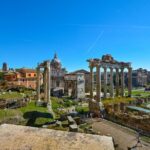
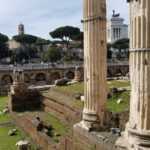
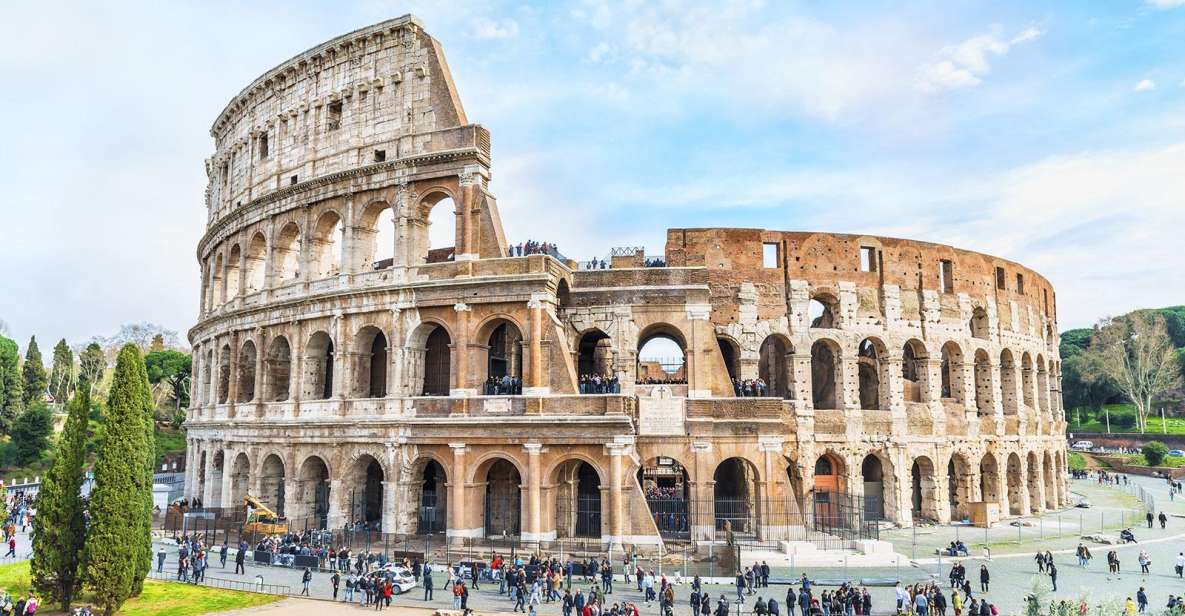
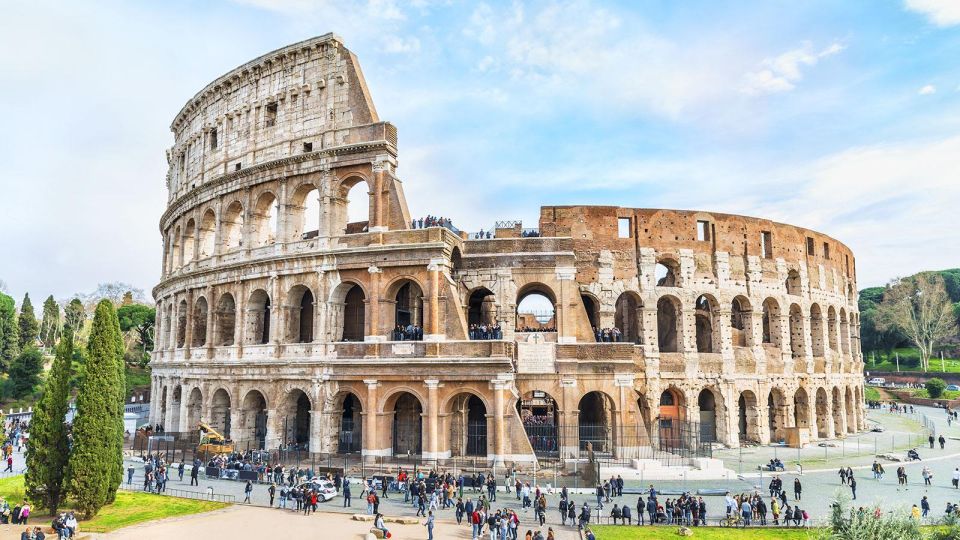
The app includes dedicated audio content for the Colosseum, Foro Romano, Foro di Traiano, plus Campidoglio e Musei Capitolini and Vittoriano e Ara coeli.
In practice, this is the part of Rome where it’s easy to stare at stone and feel like you’re missing the plot. Audio helps you connect what you’re seeing to the big themes: how Rome functioned, how spaces related to power, and why some viewpoints matter.
What I like about having audio for multiple stops here is that you can keep momentum. Instead of stopping to hunt for a quick explanation from a guidebook, you move and listen. You also avoid the classic problem where you learn one site really well and then forget how it connects to the next one.
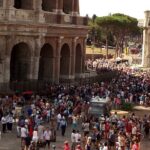
Possible caution: the Colosseum and Forum zones can be busy. Audio won’t fix lines, but it can help you use your waiting time better—if your app is already ready and you’ve got enough battery.




Campidoglio, the Capitoline Museums, and the hilltop perspective

Included sites also cover Campidoglio e Musei Capitolini, and that pairing makes sense. You get both the story of the hill and the context for why certain artworks and exhibits matter.
Campidoglio works well for audio because a viewpoint naturally pairs with explanation. When you can look out and then hear why the view is important, the narrative sticks.
Also, if you tend to want a “framework” before you enter museums, this audio sequence can give you that framework. You’ll be more likely to recognize what you’re seeing instead of collecting random images.
Piazza Venezia, Vittoriano, and Ara Coeli: when Rome turns into a view

The app lists Vittoriano e Ara coeli and Piazza Venezia. This area is ideal for audio because you’re often dealing with big monuments and changing angles—places where a quick visual impression isn’t enough.
I like using audio here to slow down the way you look. You can walk around, reposition, and then play the next segment. That turns “I saw it” into “I understood what I was looking at.”
If you’re short on time, you can even do this as a micro-route: play the audio for Vittoriano and Ara coeli, then head onward to the next cluster like Piazza Navona or the Vatican.
Piazza Navona and the Spanish Steps: perfect for short listens

Your list includes Piazza Navona and Piazza di Spagna, plus San Pietro is listed elsewhere (Vatican side). These are places where you can take smaller chunks of audio without needing a long museum commitment.
Audio is great here because it lets you read the city like a stage set. These squares reward attention to details—where people gather, how the space frames monuments, and how different eras leave their fingerprints.
If you like people-watching but get bored when you stop learning, this is a good compromise. Walk, listen, look around, and then move on while the atmosphere stays fresh.
The Pantheon area and the Bocca della Verità stop

The app includes Pantheon and Bocca della Verità.
I find stops like Bocca della Verità work especially well with audio because they’re famous. When something is famous, it’s easy to “check the box” and forget to understand why it stuck in popular memory. Audio can give you the context that makes the photo feel earned.
Pantheon is similar. You can stand there, listen, and then re-check what you notice—scale, structure, and the idea of why this building still pulls people in centuries later.
Trevi Fountain and Castel Sant’Angelo: plan for night energy
Included: Fontana di Trevi and Castel Sant’Angelo.
These two are often paired naturally in travelers’ minds, and audio helps because you can carry the story with you between riverside views and landmark facades. If you like photography, audio is a good way to avoid rushing: you’ll hear what matters and you’ll have a reason to pause.
A practical note: for nighttime use, the key is battery management. Since you’re using your own phone, bring a charger if you’re planning long evenings.
Vatican: Musei Vaticani, Sistine Chapel, Stanze di Raffaello, and San Pietro
The app covers major Vatican content: Musei Vaticani, Cappella Sistina, Palazzi Vaticani, Stanze di Raffaello, and San Pietro.
This is one of the biggest value areas for an audioguide app, because the Vatican can feel like information overload. Instead of trying to read everything at once, you can listen to a segment that explains what you’re seeing and why it’s significant.
Also, offline playback matters a lot here. Even if signal is fine outside, museums and chapel interiors can be hit-or-miss. If you have the audio ready, you don’t have to gamble.
One more thing I like: this is the kind of place where having text as a backup helps. If your audio is too quiet in a busy room or you need a moment of silence, being able to read the related content keeps you from falling behind.
Villa Giulia, Villa Farnesina, and the Galleria Borghese
The list includes Galleria Borghese, Villa Giulia, and Villa Farnesina.
These are ideal for audio because they tend to reward repeat attention. Even if you only have one visit, you can use audio as the “first interpretation,” then come back later and make your own meaning.
Audio won’t replace the experience of seeing the art in person, of course. But it can help you notice what to look for, which makes your time inside feel less random.
If you’re not the type to read every label, this approach is especially practical.
Caracalla and the big outdoor history zones
Included: Terme di Caracalla and also broader ancient stops across the app.
Outdoor ruins and large historic sites are where audio can really pay off. You get the chance to connect the “what” with the “why,” while you’re standing in the environment itself.
Just keep expectations honest: audio adds context, but you still have to walk and you still have to deal with crowds and sun. Plan hydration and build breaks like you would for any major Rome day.
Churches and basilicas: Santa Maria Maggiore, Lateran, San Paolo fuori le Mura
The list includes several major church stops:
- Chiesa di Santa Maria della Vittoria
- Chiesa di San Luigi dei Francesi
- Santa Maria Maggiore
- San Giovanni in Laterano
- San Paolo fuori le Mura
- plus Chiesa di Santa Maria della Vittoria is explicitly listed
For these stops, audio can turn a quick look into a real visit. Churches can feel overwhelming because you’re surrounded by architecture and art at once. If the audio helps you understand the main story before you get inside, you’ll know what to focus on while you’re there.
Also, this is a great use case for short listens. You can play a segment, enter, listen in bursts, then step out to reset your brain.
Quirinale, Via del Corso, and the street-to-story effect
Included: Quirinale and Via del Corso.
Street-level history is where phone audio shines because you can keep your eyes moving while your ears learn. You’ll get context as you walk rather than stopping every time you want a fact.
If you’re doing Rome in a “walk-first” style, audio for streets and neighborhoods helps you stay oriented and keeps you from thinking every corner looks the same.
Villa, museums, and variety: why the mix matters
One reason this audioguide can be good value is the breadth of stops. You’re not stuck in one lane. You get ancient Rome, big piazzas, Vatican-class monuments, and cultural sites like villas and a major museum.
That variety matters because it fits different travel rhythms. Some days you’ll want monumental scale; other days you’ll want quieter spaces and art-focused listening.
Quality of the audio and how the app supports you
The app is described as professionally created by top authors, interpreted by professionals from TV and radio fields. That matters because voice work and pacing can make or break an audioguide. The goal is to keep you listening instead of zoning out.
You also have the ability to read the text of the audio files in the app. I like that backup because it helps you stay engaged even when you don’t feel like using earphones for an hour.
Finally, there’s a quiz section. It’s a small feature, but it nudges you toward active learning. It’s also a simple way to make a long museum visit feel less like you’re just holding your phone.
Price and value: what $4.52 per person buys you
At $4.52 per person, the value comes from reuse and coverage. You’re paying for a multi-hour audio program tied to a long validity period: 1095 days from first activation.
That’s a different deal from many tours that burn in one day. If you’re the kind of traveler who revisits neighborhoods or wants a second pass later, this long validity can make the cost feel tiny.
The other value point is convenience: no meeting point, no paper tickets to collect, and you can start wherever you are once the app is set up.
The trade-off is what audioguides always trade: you don’t get a human guide to handle tricky moments like miscommunication, or to tailor the experience to your interests. And based on the overall rating (4.2 from 38 reviews), most people seem to find it workable, but there is at least one very negative note about functionality. So I’d treat it like technology: test it early, and don’t leave activation for the last second.
Practical tips so the app works in real Rome
- Start the activation before your main sightseeing day, so you’re not stuck outside with a 10-digit code.
- Download for offline listening if you can, especially for the Vatican day.
- Use earphones, but also keep one ear open when you’re walking busy streets.
- Charge your phone. This guide runs on your device, and battery limits will be your real bottleneck.
- If you get overwhelmed, don’t try to play everything. Pick a tight route and let the audio guide that walk.
Should you book this Rome+Jubilee Audioguide?
Book it if you want a low-cost, self-guided Rome experience with professional audio, offline support, and the freedom to repeat the content over a long validity window. It’s especially smart for you if you like structure but hate rigid group schedules.
Skip it or reconsider if you’re expecting a live guide, or if you know you’ll rely on your phone all day without much battery room. Also, if you’re the type who needs everything to work perfectly right away, keep in mind there’s at least one reported case of the app being nonfunctional.
If you want Rome that’s flexible, and you’re happy to treat your smartphone as your guide, this is a practical way to stretch your money while still learning what you’re seeing.
FAQ
FAQ
Where is the meeting point for this activity?
There is no meeting point. You download the app, activate it, and start your experience wherever you prefer.
How long is the Rome+Jubilee audioguide valid?
It’s valid for 1095 days from your first activation.
Do I need paper tickets?
No. You organize the experience on your smartphone and there are no paper tickets to collect.
Can I listen offline?
Yes. You may listen to the audio guide online or offline.
Can I read the audio guide content in the app?
Yes. You can read the text of the audio files in the app.
What languages are included?
The audio guide is available in Italian, German, French, Chinese, English, Spanish, and Russian.
How do I find the activation code?
In your email, open the activity details or show your tickets, then tap the barcode area in the orange frame. The activation code is the 10-digit small number just under the barcode. It’s also accessible through the GetYourGuide app in Show ticket in the App.
Is the smartphone included?
No. The smartphone is yours, since the audio guide is used through the TravelMate app on your own device.
Is this activity wheelchair accessible?
Yes, it is wheelchair accessible.